Bundle & save
Want every show & trial template? Get the full kit.
The Show Trial Kit includes this document and 7 more for $27. Lifetime updates included.
| Show | Date | Entry | Travel | Lodging | Total |
|---|---|---|---|---|---|
| Fort Worth | 01/14 | $120 | $280 | $340 | $740 |
| Houston | 02/02 | $95 | $210 | $295 | $600 |
| OKC | 03/18 | $80 | $165 | $240 | $485 |
| [show] | [date] | [$] | [$] | [$] | [=sum] |
| [show] | [date] | [$] | [$] | [$] | [=sum] |
Document · Show & Trial
Use this to track show season spending against a pre-set budget. Captures entry, handler, travel, lodging, and grooming costs per show with an automatic category summary.
About this document
Most exhibitors underestimate what a show season costs until the first time they track it. Entry fees are the number that comes to mind. Handler fees, travel, lodging, grooming supplies, show attire, and professional photography add up to a number that is usually 2 to 3 times the entry fees alone. Without one place to track all of it, the season ends and the total is a surprise.
The Show Season Budget Tracker puts a budgeted number next to every actual number, so you can see mid-season whether you're on track and close the year with a complete financial record of what the program spent.
What the document does:
It captures the budgeted and actual cost for every expense category at every show, calculates row totals on its own, and feeds a Season Summary tab that breaks the full year's spending down by category. The summary shows budgeted vs. actual for each line, the difference, and each category as a percentage of total season spend.
What is included:
Format and how it works:
Includes an editable spreadsheet (.xlsx) with live formulas and conditional formatting. Works in Excel, Apple Numbers, and Google Sheets. Enter your season budget target in the configuration row at the top of the Per-Show Ledger. Enter budgeted costs before each show and actual costs after. The Season Summary tab updates on its own with no separate data entry.
Why this version is different:
Most exhibitors track expenses in isolation, if they track them at all. This spreadsheet tracks the budgeted number alongside the actual number from the start of the season, which is what makes the comparison meaningful. The category breakdown in the Season Summary is the output that surprises most exhibitors the first time they use it, because seeing handler fees as a percentage of total spend is a different way of looking at the same number.
Who this is for:
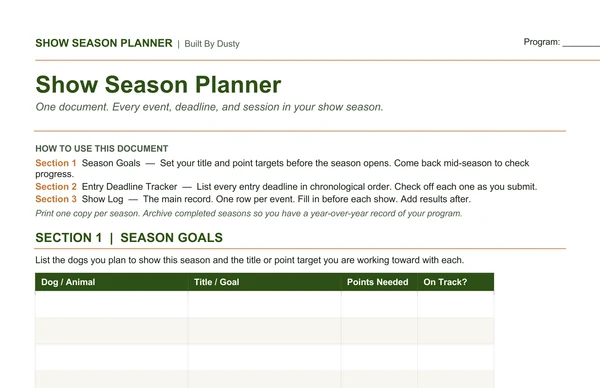
For exhibitors who want to manage a show season budget the way they manage any other program expense. Especially useful for programs using professional handlers, where the fees across a full season represent a significant investment that benefits from tracking against a pre-set target. Pairs with the Handler Communication Log, which records what was agreed and paid at each show, and the Show Season Planner, which is where the season's show schedule first gets mapped out.
Buy this document on its own, or pair it with the rest of the Show and Trial Operations Kit at the kit price.
Get the budget tracker.
What you get
Editable in XLSX, with lifetime updates when laws or registries change.
Bundle & save
The Show Trial Kit includes this document and 7 more for $27. Lifetime updates included.
Updates
You bought version 1. When a state adds a registry requirement, a new federal rule lands, or a working breeder catches something that belongs in the document, the new file shows up in your inbox. No upsell, no annual subscription, no "unlock by upgrading." The document is yours, updates included, forever.
Common questions
The contracts were drafted with an attorney and pressure-tested across multiple working programs, but they are templates — not a substitute for a lawyer for your specific state's laws. Each file ships with a clear note about that. Most breeders use them as a starting point and have a local attorney review for state-specific edits.
XLSX. The XLSX opens in Excel, Google Sheets, or Numbers. Everything is editable.
When I ship a new version of this document, the new file lands in your inbox. Laws shift. A state adds a registry requirement. A working breeder tells me something that belongs in the document. The next version goes out to everyone who bought the previous one. No upsell, no annual subscription.
14-day no-questions-asked refund. If the documentdoesn't fit your operation, you get your money back and I'd genuinely like to hear why so the next version is better.
Yes, by a wide margin if you need more than two or three documents. The Show Trial Kit bundles this and every other show & trial document for $27.
Also useful